Install Thunderbird


Install Thunderbird Mac
Instruct your customer to go to the following website.

www.mozillamessaging.com/thunderbird/

Click on the "Free Download" link on the home page.

Click on the "Download Thunderbird" link on the home page.

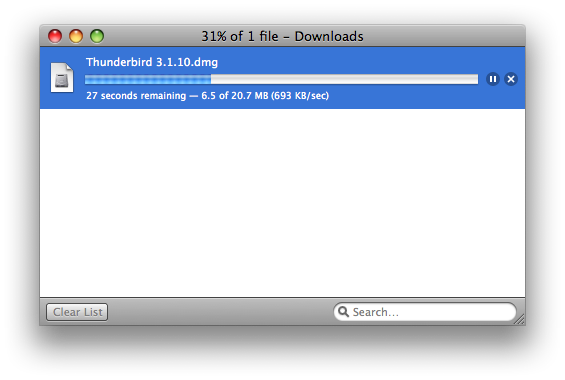
You will see the box to the left

Proceed to step 2 once the file has completed

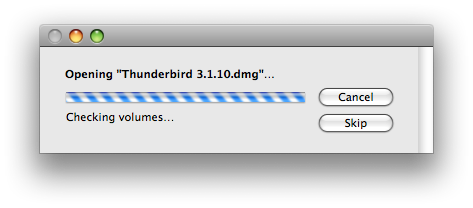
Step 2 will simply verify the package.

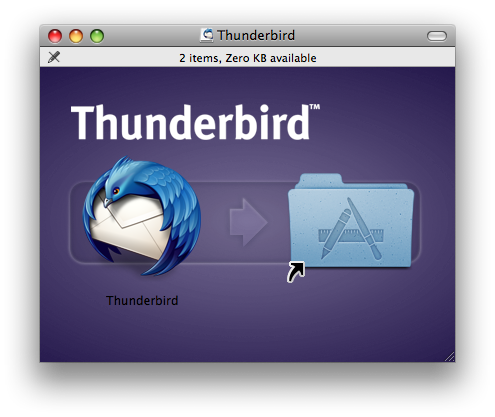
Simply drag the Thunderbird logo in to your Applications folder.

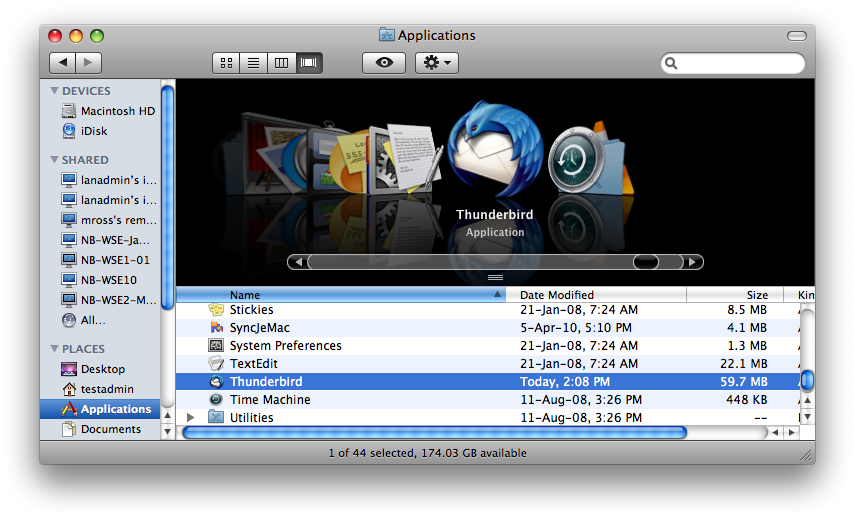
If you wish to have Thunderbird on your quicklaunch bar

simply click on the Thunderbird icon and drag it down to your quicklaunch bar at the bottom.

Please see Thunderbird 3 setup

© 2015

  • 6 Korisnici koji smatraju članak korisnim
Je li Vam ovaj odgovor pomogao?

Vezani članci

Macintosh - Mail

Setup A New Account - Macintosh - Mail Open Macintosh Mail. If this is the...

Macintosh - Outlook Express 5.0.6

Setup A New Account - Macintosh - Outlook Express 5.0.6 Open Outlook Express....

Macintosh - Netscape 7.2 - Mail & Newsgroups

Setup A New Account - Macintosh - Netscape 7.2 - Mail & Newsgroups Open...

Macintosh - Netscape Communicator 4.8 - Netscape Messenger

Setup A New Account - Macintosh - Netscape Communicator 4.8 - Netscape Messenger...

Macintosh - Eudora 6.2.1

Setup A New Account - Macintosh - Eudora 6.2.1 Open Eudora. The first time Eudora...